Key Takeaway
• Weighing scale cabinets with embedded load cells enable real-time inventory monitoring for chain supermarkets, pharmacies, and warehouses.
• RS485 digital output load cells (GPB100D, GPB158D) allow multi-node bus wiring — ideal for dozens of cabinets in a single store.
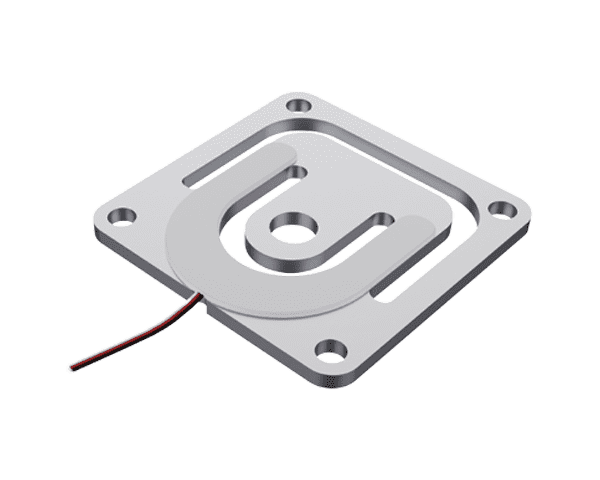
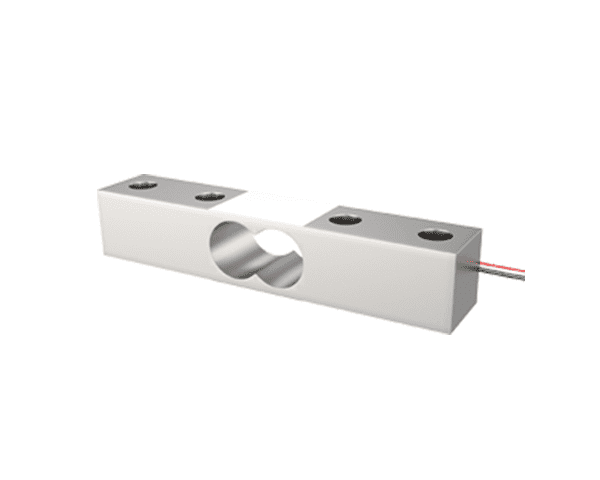
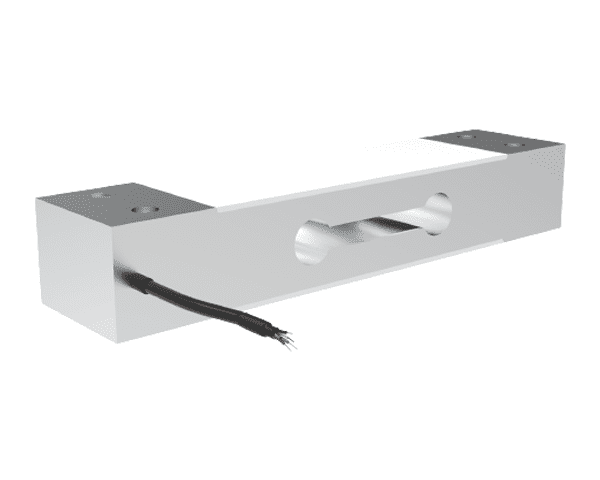
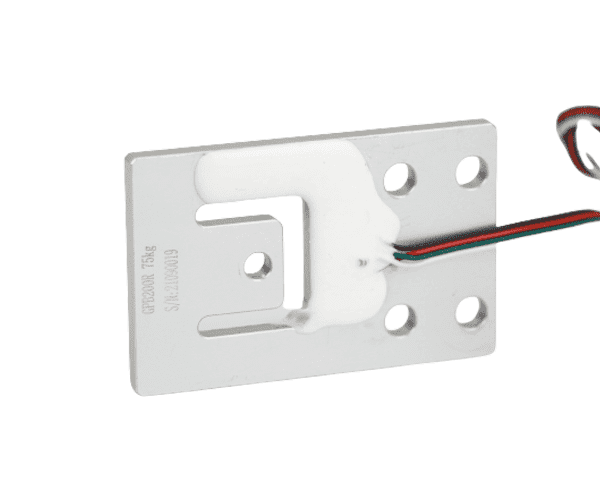
• GALOCE offers 5 recommended models — GPB100R, GPB100D, GPB158, GPB158D, GPB200R — covering 3 kg to 600 kg cabinet loads.
• Factory-calibrated digital sensors eliminate on-site calibration; gravity compensation enables cross-location deployment without recalibration.
You've probably wondered how large chain supermarkets keep their shelves stocked perfectly. The secret lies in advanced inventory management systems. In this article, we'll explore how custom cabinet bottom load cell solutions are revolutionizing inventory control for chain supermarkets, enabling real-time monitoring and significantly improving operational efficiency.
How Did We Enhance Inventory Management for a Chain Supermarket?
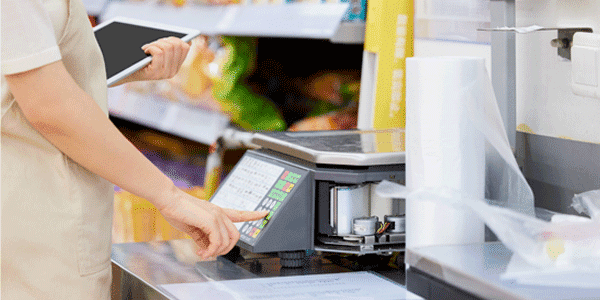
We developed a custom cabinet bottom load cell solution for a chain supermarket aiming to monitor weight changes of items stored in cabinets across multiple locations. With numerous shelves and cabinets in each store, the client needed a reliable way to track inventory levels in real-time without manual stocktaking.
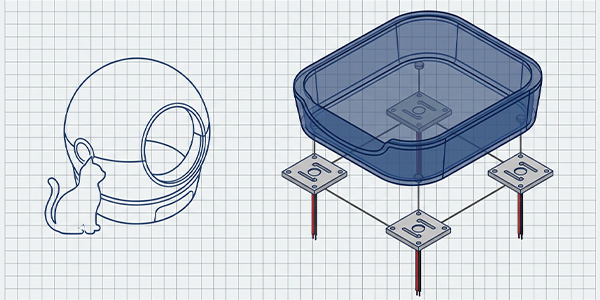
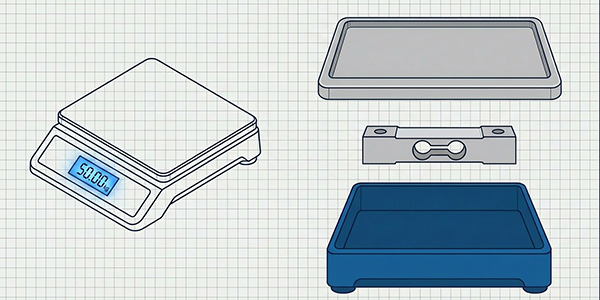
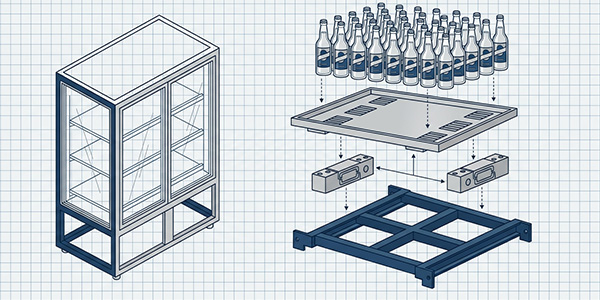
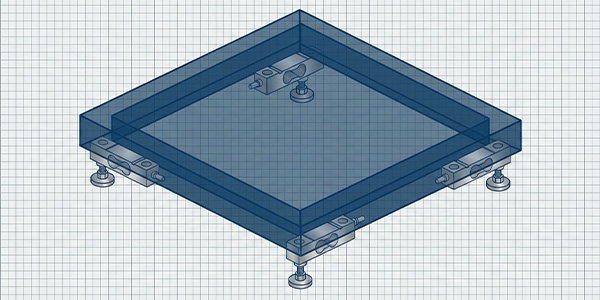
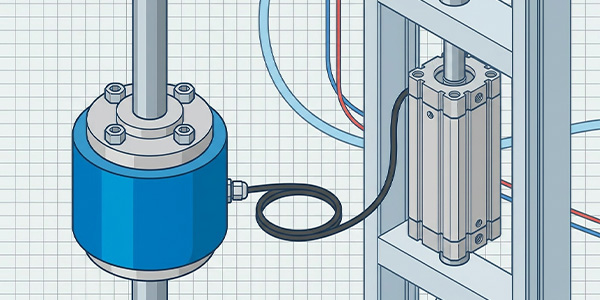
The core concept: install a load cell beneath each cabinet or shelf module. As goods are placed on or removed from the cabinet, the load cell detects the weight change and transmits the data to a central monitoring system. By mapping known product weights to weight-change events, the system can infer which items were stocked, sold, or low in supply — all without barcode scanning or RFID tagging.
What Challenges Did the Client Face?
The supermarket operated 200+ stores, each with 30–50 cabinets across fresh, dry goods, beverage, and household sections. Their existing inventory method relied on nightly manual counts — slow, labor-intensive, and prone to human error. Key pain points included:
|
Challenge
|
Impact on Operations
|
Load Cell Solution
|
|
Manual stocktaking takes 2–3 hours/store nightly
|
High labor cost; delayed replenishment decisions
|
Real-time weight monitoring eliminates manual counts
|
|
No visibility into stock levels between counts
|
Stockouts during peak hours; lost sales
|
Continuous data feed enables instant low-stock alerts
|
|
Multi-store data aggregation is difficult
|
Cannot compare performance or optimize distribution
|
RS485 bus + cloud dashboard unify all stores
|
|
Environmental factors (temperature drift, vibration)
|
Measurement instability; false readings
|
Digital sensors with temperature compensation & filtering
|
Our Innovative Solution: Cabinet Bottom Load Cell System
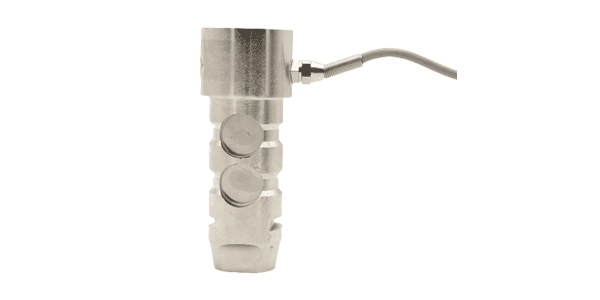
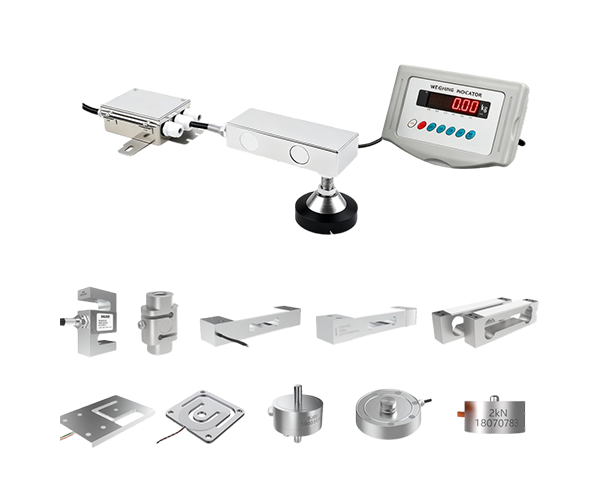
To meet these needs, we provided custom cabinet bottom load cells installed beneath each cabinet. These load cells transmit data to the client's central monitoring system via RS485 digital signal output.
System Architecture
The complete weighing scale cabinet system consists of four layers:
|
Layer
|
Component
|
Function
|
|
Sensing Layer
|
Load cells (GPB100R/D, GPB158D, GPB200R)
|
Convert cabinet weight to electrical signal
|
|
Transmission Layer
|
RS485 bus / Modbus-RTU
|
Multi-node daisy-chain wiring, up to 32 nodes per bus
|
|
Processing Layer
|
Edge gateway / PLC
|
Data aggregation, filtering, threshold alerts
|
|
Application Layer
|
Cloud dashboard / mobile app
|
Real-time stock visualization, restocking alerts, analytics
|
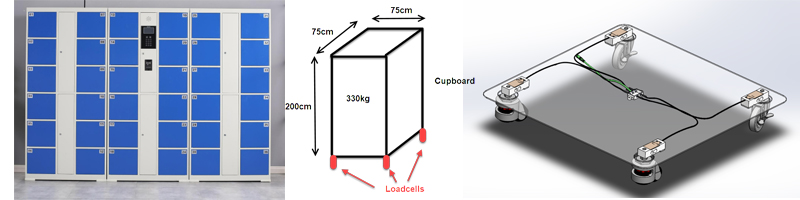
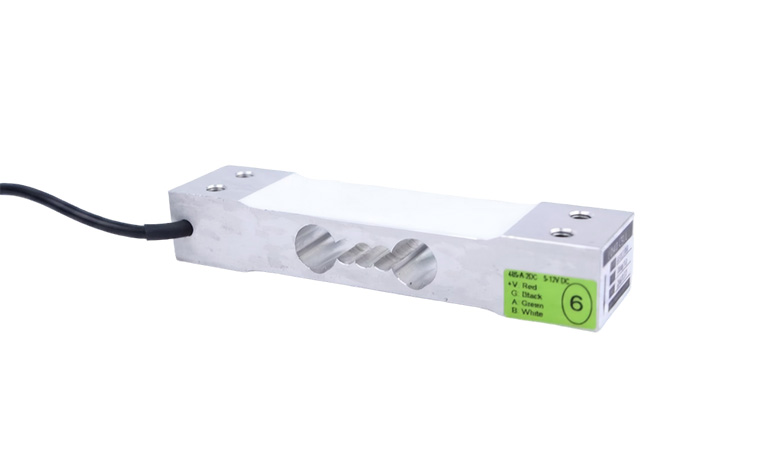
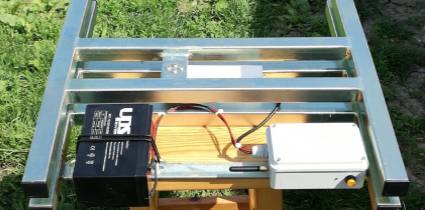
Original case study: custom cabinet bottom load cell installation for chain supermarket inventory monitoring
Why RS485 Digital Output?
The client's stores required dozens of cabinets to be monitored simultaneously. Traditional analog load cells (mV/V output) would need individual amplifiers and A/D converters for each sensor — costly and complex to wire. RS485 digital load cells solve this elegantly:
-
Multi-node bus topology: Up to 32 sensors on a single RS485 bus, drastically reducing wiring complexity
-
Factory calibration: Each digital sensor is pre-calibrated at the factory — no on-site calibration needed
-
Gravity compensation: Built-in gravity acceleration correction allows deployment across different locations without recalibration
-
Noise immunity: Digital signals are far more resistant to EMI/RFI than analog mV signals in retail environments
-
Simple command set: Only zero-setting and weight-read commands are needed; instant data access
-
Adjustable division value: Change resolution remotely; the sensor outputs the correct weight without field calibration
Key Benefits of Our Load Cell System
|
Benefit
|
Description
|
Business Value
|
|
Remote Monitoring
|
Track weight changes of items in each cabinet from a centralized dashboard, across all store locations
|
Eliminates nightly manual stocktaking; saves 2–3 hours of labor per store per day
|
|
Informed Restocking
|
Real-time data triggers automatic low-stock alerts; threshold-based replenishment orders
|
Prevents stockouts during peak hours; reduces excess inventory holding cost
|
|
Improved Efficiency
|
Intelligent inventory management automates processes, reducing manual intervention
|
30%+ reduction in management costs; faster turnover rate
|
|
Data-Driven Insights
|
Historical weight data reveals consumption patterns, peak sales periods, and shrinkage
|
Optimized distribution scheduling; reduced waste in perishables
|
Client Feedback and Results
The client reported that the load cells significantly improved their ability to control inventory levels, leading to increased turnover rates and sales efficiency. By avoiding overstocking or understocking, they gained a competitive edge in the retail market.
In summary, our custom load cell solution not only streamlined inventory management but also delivered tangible business value, enabling the supermarket chain to thrive in a competitive landscape.
Recommended Load Cells for Weighing Scale Cabinets
Based on the case study and broader industry deployment experience, GALOCE recommends five models for weighing scale cabinet inventory management. The choice between analog and digital depends on your system architecture, cabinet size, and number of nodes.
Model Selection Comparison
|
Model
|
Type
|
Capacity
|
Max Platform
|
Output
|
Best For
|
|
GPB100R
|
Single Point (Analog)
|
3–100 kg
|
250×350 mm
|
mV/V (2.0±0.1)
|
Small cabinets, single-sensor per shelf
|
|
GPB100D
|
Single Point (Digital)
|
3–100 kg
|
250×350 mm
|
RS485 / RS232
|
Multi-cabinet RS485 bus, smart shelves
|
|
GPB158
|
Parallel Beam (Analog)
|
60–300 kg
|
400×400 mm
|
mV/V (2.0±0.1)
|
Medium cabinets, heavy goods
|
|
GPB158D
|
Parallel Beam (Digital)
|
60–300 kg
|
400×400 mm
|
RS485 / RS232
|
Large gravity cabinets, smart shelves
|
|
GPB200R
|
Planar Beam (Analog)
|
7.5–600 kg
|
Custom
|
mV/V (2.0±0.1)
|
Heavy-duty cabinets, multi-sensor platforms
|
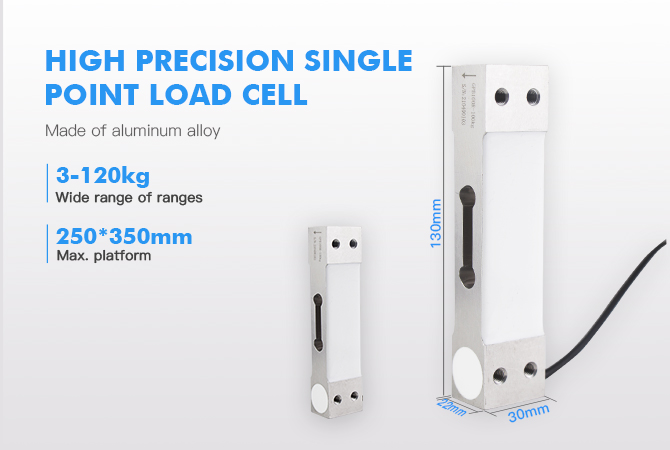
GPB100R — Single Point Load Cell (Analog)
|
Material
|
Aluminum alloy
|
|
Capacity
|
3, 5, 8, 10, 15, 20, 30, 40, 50, 60, 80, 100 kg
|
|
Dimensions
|
130 × 30 × 22 mm
|
|
Max Platform
|
250 × 350 mm
|
|
Output
|
2.0 ± 0.1 mV/V (analog)
|
|
Certifications
|
ISO9001, CE, RoHS
|
|
Applications
|
Smart bottles, smart shelves, electronic precision scales, bench scales, gas container scales, industrial weighing
|
→ View GPB100R Product Details
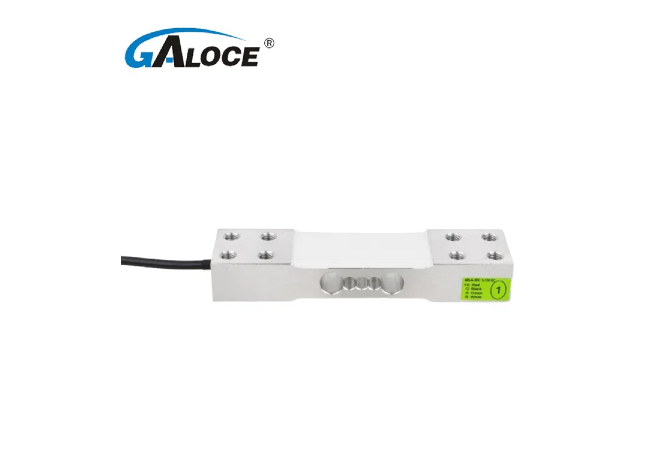
GPB100D — Digital Single Point Load Cell (RS485)
|
Material
|
Aluminum alloy, anodized & anticorrosion
|
|
Capacity
|
3–100 kg (multiple ranges)
|
|
Max Platform
|
250 × 350 mm
|
|
Output
|
RS485 / RS232 (digital)
|
|
Calibration
|
Factory-calibrated, no on-site calibration needed
|
|
Gravity Compensation
|
Yes — deploy across locations without recalibration
|
|
Applications
|
Smart shelves, smart gravity cabinets, garbage recycling, weighing scale cabinets
|
→ View GPB100D Product Details
GPB158 & GPB158D — Parallel Beam Load Cells
|
Material
|
Aluminum alloy, anodized & anticorrosion
|
|
Capacity
|
60, 100, 150, 200, 300 kg
|
|
Max Platform
|
400 × 400 mm
|
|
GPB158 Output
|
2.0 ± 0.1 mV/V (analog)
|
|
GPB158D Output
|
RS485 / RS232 (digital, factory-calibrated)
|
|
Key Feature
|
Larger platform than GPB100; ideal for medium-to-heavy cabinet loads
|
|
Applications
|
Smart gravity cabinets, smart shelves, garbage recycling, weighing scale cabinets
|
→ View GPB158D Product Details
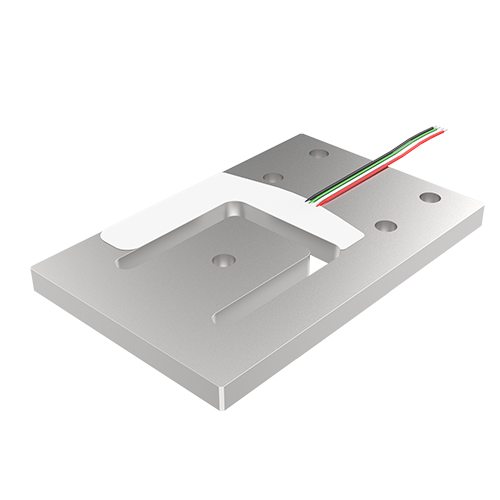
GPB200R — Planar Beam Load Cell
|
Material
|
Aluminum alloy
|
|
Capacity
|
7.5, 15, 30, 75, 150, 300, 600 kg
|
|
Output
|
2.0 ± 0.1 mV/V (analog)
|
|
Usage Mode
|
Single use or multiple units combined for larger platforms
|
|
Certifications
|
ISO9001, CE, RoHS
|
|
Applications
|
Heavy-duty cabinet platforms, multi-sensor weighing, industrial inventory bins
|
→ View GPB200R Product Details
Analog vs. Digital: Which to Choose?
The choice between analog (GPB100R, GPB158, GPB200R) and digital (GPB100D, GPB158D) load cells is the most critical design decision for a weighing scale cabinet system:
|
Factor
|
Analog (mV/V)
|
Digital (RS485)
|
|
Wiring
|
4-wire per sensor; needs individual amplifier + A/D
|
Daisy-chain bus; up to 32 nodes on one line
|
|
Calibration
|
On-site calibration required for each sensor
|
Factory-calibrated; plug-and-play
|
|
Noise Immunity
|
Susceptible to EMI in long cable runs
|
High immunity; digital protocol with error checking
|
|
Cost
|
Lower sensor cost; higher system integration cost
|
Higher sensor cost; lower system integration cost
|
|
Scalability
|
Limited by amplifier channels
|
Highly scalable; add nodes without new wiring
|
|
Best For
|
1–4 sensors per cabinet; custom electronics
|
10+ cabinets per store; multi-store deployment
|
Installation & Wiring Guide
6-Step Installation Process
-
Assess cabinet structure: Determine the cabinet's base dimensions, load distribution, and expected maximum weight (products + cabinet self-weight).
-
Select sensor model & capacity: Choose based on cabinet size (GPB100R/D for ≤100 kg; GPB158/D for 60–300 kg; GPB200R for heavy-duty) and output type (analog vs. digital bus).
-
Mount the load cell: Install beneath the cabinet base using the mounting holes. Ensure the load is applied centrally on the loading point.
-
Wire the sensor: For analog sensors, connect 4-wire cable to amplifier/transmitter. For digital sensors, daisy-chain RS485 A/B lines to the gateway.
-
Zero & calibrate: For digital sensors, send the zero-setting command via the bus. For analog sensors, calibrate with known reference weights.
-
Integrate with monitoring system: Connect the gateway to the store's network; configure the cloud dashboard with cabinet-to-product mappings and alert thresholds.
Wiring Color Code (Analog mV/V)
|
Wire Color
|
Function
|
Terminal
|
|
Red
|
Excitation + (E+)
|
Power supply positive
|
|
Black
|
Excitation − (E−)
|
Power supply negative
|
|
Green
|
Signal + (S+)
|
Amplifier input positive
|
|
White
|
Signal − (S−)
|
Amplifier input negative
|
Note: For RS485 digital sensors (GPB100D, GPB158D), wiring is simplified to just 4 wires: VCC, GND, RS485-A, RS485-B. Multiple sensors share the same A/B bus line with unique addresses assigned at the factory.
Applications Beyond Supermarkets
While the original case study focused on chain supermarkets, weighing scale cabinet load cell solutions apply to a wide range of industries:
|
Industry
|
Use Case
|
Recommended Model
|
|
Retail / Supermarkets
|
Shelf-level stock monitoring, automatic reorder
|
GPB100D, GPB158D
|
|
Pharmacies
|
Drug cabinet inventory tracking, expiry management
|
GPB100R, GPB100D
|
|
Warehouses & Logistics
|
Bin-level material tracking, automated restocking
|
GPB158D, GPB200R
|
|
Vending Machine Operators
|
Real-time product count, theft detection
|
GPB100D, GPB158D
|
|
Smart Kitchens
|
Ingredient consumption tracking, auto-reorder
|
GPB100R, GPB100D
|
|
Industrial Bins
|
Waste/recycling bin fill-level monitoring
|
GPB158, GPB158D, GPB200R
|
Frequently Asked Questions
Q1: How many load cells do I need per cabinet?
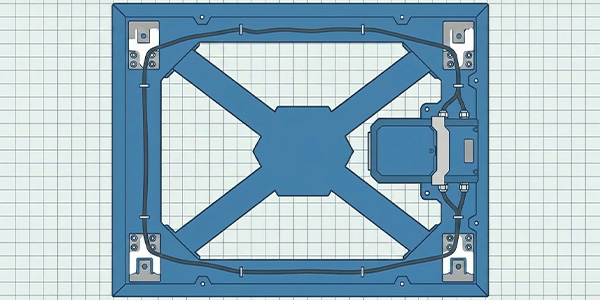
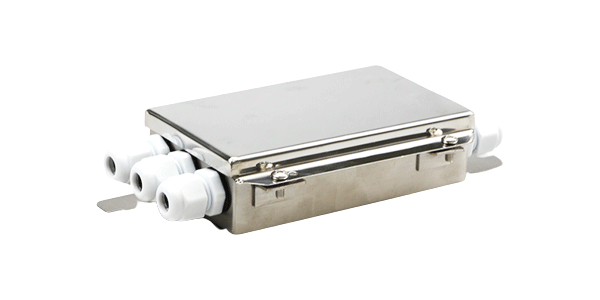
For small cabinets (≤100 kg load, platform ≤250×350 mm), a single GPB100R or GPB100D is sufficient. For larger cabinets (up to 400×400 mm, up to 300 kg), use one GPB158 or GPB158D. For heavy-duty platforms or irregular shapes, use 4 GPB200R sensors at the four corners with a junction box for signal summation.
Q2: Can I mix analog and digital sensors on the same cabinet system?
Technically yes, but it is not recommended. Mixing output types complicates the data acquisition layer. For new deployments, we recommend standardizing on digital RS485 sensors (GPB100D, GPB158D) to simplify wiring and enable factory calibration. For existing systems with analog infrastructure, GPB100R, GPB158, and GPB200R integrate seamlessly with standard amplifiers.
Q3: What is the maximum number of cabinets I can monitor on one RS485 bus?
A standard RS485 bus supports up to 32 nodes (sensors) per segment. For larger installations, use an RS485 repeater to extend to additional segments. In practice, a single store with 30–50 cabinets can be covered by 1–2 RS485 buses connected to one edge gateway.
Q4: How accurate is weight-based inventory monitoring? Can it detect individual item removal?
Accuracy depends on the sensor's C3 accuracy class and the product weight. For products with known unit weights (e.g., a 500 ml bottle weighs ~520 g), the system can detect removal of individual units when the unit weight exceeds the sensor's resolution threshold. For lightweight or variable-weight items, the system monitors aggregate stock level rather than individual units.
Q5: Do the digital sensors need recalibration when moved to a different store location?
No. GPB100D and GPB158D feature built-in gravity acceleration compensation. The sensor automatically adjusts for local gravity differences, so it can be deployed across stores in different cities without on-site recalibration. Simply send the zero-setting command after installation.
Ready to Upgrade Your Inventory Management?
Whether you're managing a chain of supermarkets, pharmacies, or warehouse bins, GALOCE's weighing scale cabinet load cell solutions deliver real-time visibility, automated restocking, and measurable ROI. Contact our engineering team to discuss your cabinet dimensions, load requirements, and deployment scale.
Get a Free Consultation →
Related Topics